


MiniGrief
-
Posts
59 -
Joined
-
Last visited
-
Days Won
3
Content Type
Profiles
Forums
Downloads
Everything posted by MiniGrief
-
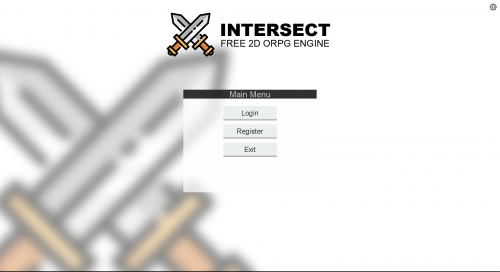 I managed to fix this myself a while ago. If anyone wants a fix, place the 3 files here in your gui folder after installing the UI. http://www.ascensiongamedev.com/resources/filehost/514d11aeeef2591112b208e32d467957.zip If this still doesn't work, I probably forgot to include a file. It has been a long time since I did this fix.
 -
Idk if anyone actually knows this yet, but JC's name isn't exactly hidden. While I don't know what the C stands for, Snider is his last name. I'll only post (At least what I believe is) his name if he says I can since I don't really know if he's ok with it.
-
Ideally, I would have liked it to work as a equipable weapon, but I can make what I'm trying to do work as a spell. Thanks.
-
Is there any way to have an animation play when a projectile, such as a bullet or arrow, hits a player or NPC. I've been trying for the past 30 minutes with no luck.
-
I'd assume so. But you can easy change the port so people can't just randomly join if that's what you're worried about. It also runs off UPNP which can be disabled in a router's settings if you want. Anyway, those features look amazing. The auto port forwarding will definitely help people new to the engine and even people new to game development.
-
Ubuntu is probably the best one to start on. It has a very good amount of documentation and support. Not to mention, it comes pre-installed with a very easy to use graphical shell. (I think It's called Unity). I prefer Arch for general usage, development, customisation, etc. I find Debian or Ubuntu server to be best for hosting servers.
-
If you really don't want to host it yourself, just find a cheap VPS host. Some recommendations: Linux Only: Waveride (Very cheap and works perfectly for me) Windows or Linux: OVH (Very good quality, but a bit more pricey)
-
A pretty good guide on how to port forward is here: Guide Port forwarding might not be the same for you as shown in the guide but it should hopefully give you a good idea on how to go about doing it.
-
That should be the solution, Martinnl.
-
Just that processor is strange to see in a Desktop PC as it's a notebook processor. Very low powered for a Desktop PC then. It also makes upgrading easier and likely what you'd need to upgrade is motherboard, CPU, GPU and possibly memory if the old memory is not compatible.
-
From the looks of it, you probably have a laptop of some sort. If you do, upgrading it is not impossible but it would be fairly difficult. Everything but the CPU/APU is fine. As it is probably a laptop, installing a GPU would be pretty much impossible. I think the best you could do would be install a better CPU if you manage to locate one. Just want to point out that installing a CPU in a laptop can be a pain for even someone who works with computer hardware a lot so it might not be a good idea to even try. It mostly just depends on the laptop and how it is put together. If you really are desperate to install a new one, I'd recommend watching a few guides first to see what it can be like and the kind of hassle you will need to deal with. Example.
-
Here's a program that I personally use for creating upnp ports: https://sourceforge.net/projects/upnp-portmapper/ Has been working fine for me and (as far as I know) should be free from malware
- 13 replies
-
- 2
-

-
- port forwarding
- online
- (and 1 more)
-
Would the text next to the person's name (Aka the map they are on) be able to be turned off or at least have some kind of alias for the friends list as I can imagine some people not wanting many maps called the same thing for a big area.
-
This isn't really a proper answer to the question, but the game server is unlikely to be so intensive that it has to use more than 1 core. Majority of the time, it would just be unnecessary.
-
Click downloads at the top of the web page and check what's new if you can't see it.
-
You can create potions as a consumable item and have them increase your health or whatever that way. For abilities, I'm guessing you mean spells which can modify most of your stats.
-

Disable Players Colliding with each other
MiniGrief replied to MiniGrief's question in Questions & Answers
Added this to suggestions. -
Disable Players Colliding with each other
MiniGrief replied to MiniGrief's question in Questions & Answers
Hope it is possible or at least at some point a option is added to the server config. -
I kind of see what you mean as it even affected me a little. Some foliage now has some strange glow around it where it was once transparent for me.

-
The issue with players colliding with each other is that it blocks off things such as doors. I'm wondering if there is any way to disable it. People are going to just troll others if it is not able to be disabled by blocking important things. Gif of what I mean: http://imgur.com/qVwJVep
-
While it would be great that it did for the sake of older PCs, most people have moved on to Windows 7, 8 or 10 and it would make no sense to add support for maybe 1 or 2 people who would use XP. I think it would also require a complete re code of the entire engine to convert so that it would run on XP. If I am wrong, feel free to correct me since I don't actually do any vb.net programming or any similar languages. Anyway, beta seems amazing and the quest system is a big help.
-
Thanks. Better than neither being able to change.
-
I said I didn't recommend anyone do it. Also, they are 4 versions out of date for MyBB.
-
To be honest, their website is relatively old now. They likely have a few SQL injection exploits in there somewhere which if you really wanted to be 'that guy', you could find those and just take the database without asking. Though SQL injection without the owner's consent is illegal so I don't really recommend doing it since he could like sue you or something (If he even cares).
-
I don't want to post this in bugs as I don't really think it's a bug. Can you actually change your game name or MOTD yet? If yes, I'm having an issue where I cannot as I have changed the name in the config.xml file, but nothing changes after I restart the server. <GameName>Starfall</GameName> <MOTD>Welcome to Starfall!</MOTD> Above is the configuration in my config.xml file to do with changing the name/MOTD.
