

Lunam
-
Posts
96 -
Joined
-
Last visited
-
Days Won
9
Content Type
Profiles
Forums
Downloads
Everything posted by Lunam
-
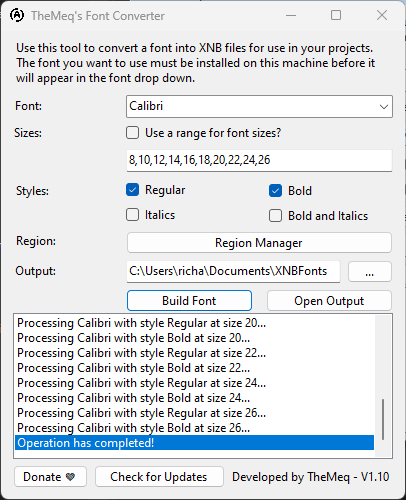 Does the job quick and easy. Great work!!
 -

Story Today I did this on my project...
Lunam replied to SkywardRiver's topic in Design & Creativity
Got my project board started. A little sneak peek into my game lore if you can read it 😂 -
Yup seems to work just fine! Tested it with free font Alagard 16 on the player name above character and it was *very* visible
-
Bro this tool is SOO helpful. Your awesome!!
-
Story Today I did this on my project...
Lunam replied to SkywardRiver's topic in Design & Creativity
Haha yes. Im more of a "happy spouse, happy house" kinda guy 😂😂 just cuz we're men doesnt mean we cant be happy too 😂😂😂 -
Story Today I did this on my project...
Lunam replied to SkywardRiver's topic in Design & Creativity
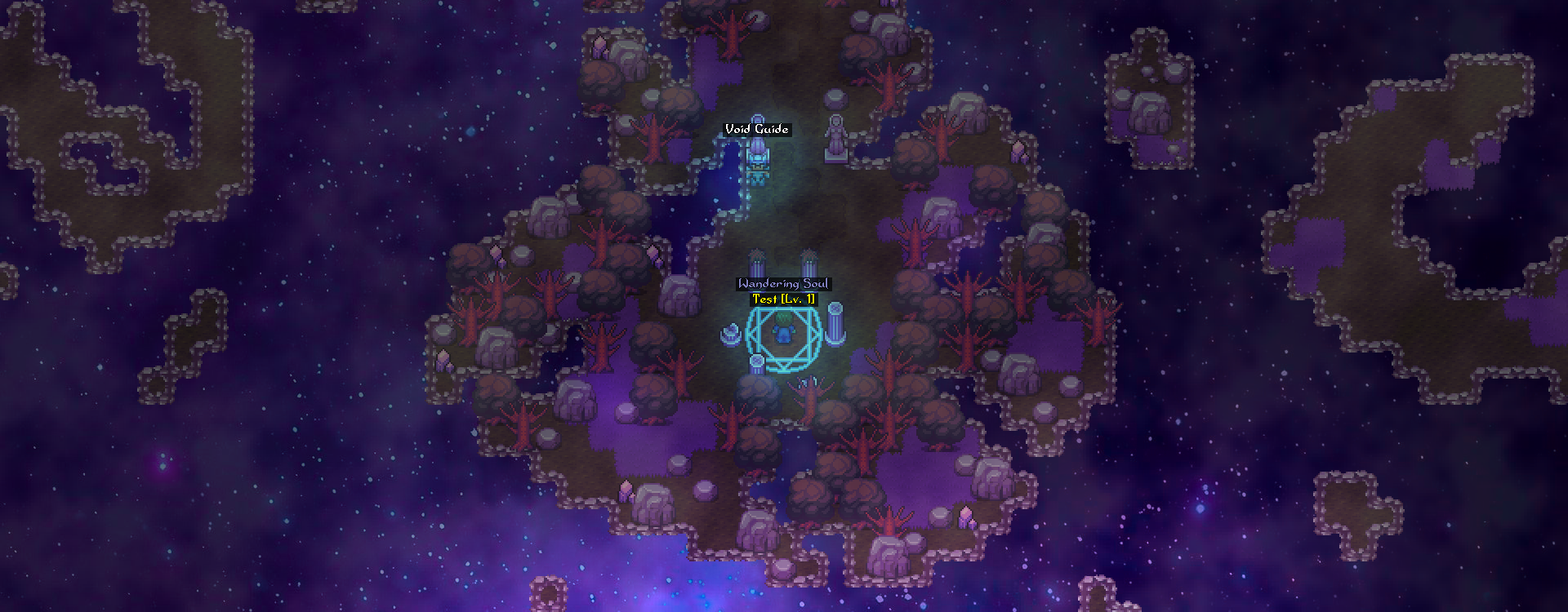
I liked the old purple sea surrounding but it looked too... Purply lol. Plus the jagged "dissolving" coast will fit alot better Lorically with my story -
Story Today I did this on my project...
Lunam replied to SkywardRiver's topic in Design & Creativity
Thanks for the feedback guys! The entire afterlife will look mostly like this. There will be a forest areas, rocky areas, mountains, pits, and the whole edge of the afterlife will look jagged and "dissolving" I actually just about doubled the trees just before i posted that to have a more defined "walk path" but I definately see how it looks cluttered. -
Story Today I did this on my project...
Lunam replied to SkywardRiver's topic in Design & Creativity
New Afterlife Look, I personally love it but my wife said it looks "too busy", what do you guys think? P.S. These are all fully harvestable resources(well, the ones you can reach anyways lol) -
How do we enable 8-Dir movement? I couldn't find anything in the logs or the server/client config files.
-
Story Today I did this on my project...
Lunam replied to SkywardRiver's topic in Design & Creativity
Oh nice, how did u manage that? -
Story Today I did this on my project...
Lunam replied to SkywardRiver's topic in Design & Creativity
I think I've perfected the look of my Afterlife! What do you think? Made with mostly Vanilla assets(a few color edits) -
It wouldnt be huge. Itd be relatively easy, just have a global event that gives the first player the item then lock the event behind a boolean. Its more or less the balance im worried about. These items will be immensly powerful, otherwise there wouldnt be a need to try and get it Edit: The log out system wouldnt be hard either i dont think. Could be done using time variables
-
So Im thinking about having global items: Items/weapons/armor/etc that is unique and global, meaning there are single instances of them on the entire server. E.g: God Sword - the most powerful sword in the game, and only a SINGLE character can possess it at one time in the server. You could balance this by allowing a player to only have it for a specified amount of time, or 100% drop chance on death so if you happen to kill the player, you are now the owner. And if the player logs out with the sword, they have a certain amount of time before the sword dissapears from their inventory/bank. Is this unbalanced? Are there fundamental flaws with this im not seeing? What are your thoughts?
-
Story Today I did this on my project...
Lunam replied to SkywardRiver's topic in Design & Creativity
Embedded Video Link *Spoiler* This concept was heavily inspired by Skyrim's Soul Trap, Soul Gem, and Soul Cairn systems. I've been working on a concept that will be integral to my game: An Afterlife System! Mine for Spirit Crystals, cast Soul Snare spell on enemies and capture their soul in the crystal upon their death(waiting on a Conditional Branch update to allow checking for status effects on Npcs/Players) and if YOU die with a FILLED Spirit Crystal, get spared Death and resurrect at your nearest spawn! OR DONT have a filled Crystal on you when you die, and be transported to the Afterlife, where you will become a Wandering Soul and have to Quest/Fight/Puzzle/etc. your way back to the world of the living! -
I'm struggling hardcore with this. I've looked all over the Documentation and these forums. I'm totally lost. I made a Wix site(they allow .rar file hosting) for testing the auto updater and i just cant get it. I have no idea how this works and tbh, the documentation just simply doesn't explain enough. I even just tried using FileZilla and OMG TF IS THIS?!?! I really need someone to break down how to properly auto-update my client as if theyre explaining it to a damn rock. Cuz thats what I feel like right now. Been at this for hours and i just can't anymore. What files EXACTLY do I need? How tf do I set it up with a website such as wix? I know I have to give the client's config an update URL but i have to actually upload the damn thing first to get the URL then I have to edit the config with the new URL and REUPLOAD which CHANGES the URL?!? Please. Send help.
-
Not sure if this helps, but im currently building a book system as well, using items, images and events. I have an image of a blank open book that I edit with GIMP and put text on it, and do that for each page. I have an item of a particular book that calls a common event(one event for every book) when used. The event is just "Show Image" with "click to close" and "wait until closed" selected, and copy that for every page(image) in the book. Hope this makes sense/helps!!
-
For real, dude could be a radio personality or an early 2000's movie trailer announcer
-
Dude this looks really freaking cool, man. I'm downloading right now. Cant wait to see this world man, I already love the art style and vibe I'm getting. Very nostalgic. Will post later with feedback, I foresee nothing but positive things to say!
-
Eh, why not. Here i am lol
-
Yup that did it! Thanks, Weylon!
-
Hey guys, I think I may have found a bug involving cooldown groups for spells. I have 3 Light generating spells that share a cooldown group, a low-level light spell with 33s cooldown, a mid-level light spell with a 63s cooldown, and a high-level spell with a 93s cooldown: If I use the low-level spell "Lucios" with a cooldown of 33s, it actually uses the high-level cooldown of "Lustros" with a 93s cooldown, as shown here: Embedded Video Link Maybe I'm doing something wrong in the editor? Not sure but I think I have everything set up right. Let me know!
-
How to make layers overlap players?
Lunam replied to nightcorequest's question in Questions & Answers
2 Ways. If you want to be able to harvest this tree, turn it into a resource using the Resource Editor and that will solve your problem immediately. Or, If this isn't a harvestable resource, you will have to place all tiles EXCEPT the base tiles(the stump area) on one of the fringe layers.- 1 reply
-
- 1
-

-
Gotcha, I saw that you said there was bugs but havent encountered any, thanks for pointing that out! Could the warping bug be fixed by placing the desired Z-Level on the destination square, so when they warp they immediatly change to whatever level is set at the destination?
-
AW f* yes. Anyway we can get that for Resource harvesting as well? And/or even just able to change the standard interaction animation(the player taking a step)?
-
Not sure if its been done, but I haven't found it in my search. Due to my extended absence, as a gift to you, I'm gunna show you how easy and simple it is to use the Z-Dimension property in the Editor! Date Written: 2/24/2023 Date Updated: 2/24/2023 Intersect Version Used: 0.7.1.101 (BETA 7) Table Of Contents 1. Activate Z-Dimension 2. Using Z-Dimension 2a. Gateways 2b. Blocks 3. Example 1. Activate Z-Dimension First, find your Intersect project folder; go into "Server" and then "resources" and find the "config" file. Open it up and look for the "Map" section. Insert this line somewhere under "Map" category: "ZDimensionVisible": true, 2. Using the Z-Dimension Open the Editor and look in the "Map Layers" panel and find the "Attributes" tab. Where there normally was a blank space between "Slide" and "Critters" is now your activated "Z-Dimension" You will see 2 sections involved in your Z-Dimensions; "Gateway" and "Block" Gateway: Gateways are tiles used to SET what layer(of three) your character is now on. E.g: Placing a tile with Gateway "Level 1" will take your character from the default "None" to "Level 1" on the Z-plane when they touch that tile. Block: Blocks are what stops the player from entering onto a tile it shouldnt, based on its current Z-Dimension. E.g: You placed a Level 1 Gateway, and your character touched it and is now on Z-Dimension "Level 1". All Z-Dimension "Blocks" of "Level 1" will prevent the player from entering it. "Level 1" Blocks block the player if they are on Z-Dimension "Level 1", and so on. Hope that makes sense lol 3. Example: Here, I have setup a staircase to show how this will work. The player starts on Z-Level "None", and enters "Level 1" at the top of the stairs, so now all Z-Dimension "Blocks" with "Level 1" selected will now stop the character. Embedded Video Link

